
v1.4: Microsites, a page composed from ready-made blocks
Release v1.4.0 adds Microsites: public pages you build from twelve ready-made blocks, optionally drafted by AI. Publishing needs a paid plan.
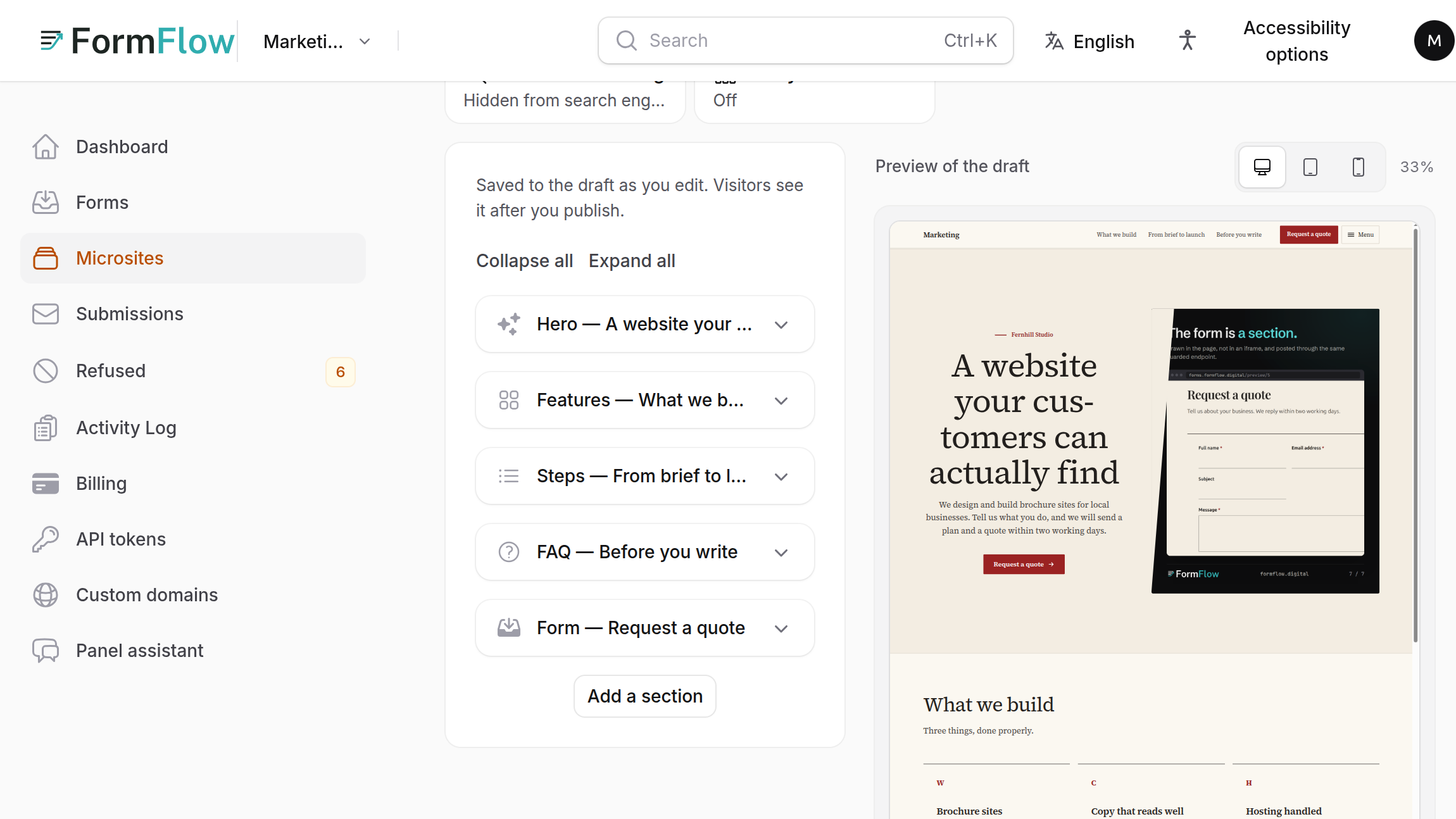
Release v1.4.0 shipped on 22 September 2026 with Microsites: a public page you compose from ready-made blocks and publish, for when you have a Form but no website to put it on. The Changelog entry is two lines long. This post covers how a Microsite works, what it needs and where it stops.
What a Microsite is
A Microsite is one page, served from FormFlow's hosted address, built from a list of sections in the Microsite builder. A live preview sits beside the list. A Team can have many Microsites. Each has a title, an address, and one language. The address is part of the public URL and is locked once the page has been published, so a link someone holds never changes.
The twelve blocks
The builder offers a closed set, in this order: Hero, Logos, Features, Showcase, Statistics, Steps, Image and text, Testimonials, Pricing, FAQ, Call to action and Form. There is no custom HTML and no thirteenth block. Each block has its own fields, plus shared controls for background, spacing and alignment, and a Hide this section switch.
The Form block shows one of your Forms inside the page. Its picker lists only Forms that have a Hosted page and are open to everyone, so a Form that admits only a Roster will not appear there. Page-wide settings cover the footer line "Made with FormFlow" and search and sharing: a meta title and description, a canonical URL, and a switch that asks search engines not to index the page.
Build a page from one sentence
On a Microsite with no sections yet, a Team whose plan includes the AI builder sees a Build with AI button. Pick one of five templates (Product launch, Event registration, Lead magnet, Waitlist or Contact page), edit the prompt in your own words and press Generate page. It is the same idea as the one-sentence Form builder in Release v1.1, applied to pages.
It writes the draft only. You are told to review the page before publishing, and the AI cannot publish.
It writes no images, no links and no logo strip, and it never chooses a Form. You add the pictures, the links and the Form block yourself.
It keeps at most 12 sections.
It has its own daily allowance of 20 pages per Team, separate from the one for Forms. At the limit you are asked to try again tomorrow.
It only appears on an empty page, so it starts a Microsite and does not rewrite one.
Draft, preview, publish
Everything you change is a draft. Share preview gives you a link that anyone can open to see the current draft for 24 hours; it is never indexed. Publish copies the draft to the public page. After that, edits stay in the draft until you press Publish changes. Unpublish takes the page offline, so its address answers "not found" until you publish again, and your draft is kept.
Publishing needs a paid plan: without one the button is disabled and says so. A published Microsite is also served only while its Team may host pages. It goes dark with the Team's Hosted pages if the plan lapses or the Team is suspended.
Fixes in the same Release
v1.4.1, the same day, fixed three builder problems. A new page opens on a proper empty canvas, icons show what they are set to, and published pages load everything they display.
When generating a Form takes too long, you are now asked to try again shortly instead of being told to rewrite your description.