
Chrome 154 lets sites opt into responsive iframe sizing
Chrome 154 adds opt-in responsive sizing for iframes. FormFlow's Embedded form is markup in your page, not a frame, so there is nothing for the feature to resize.
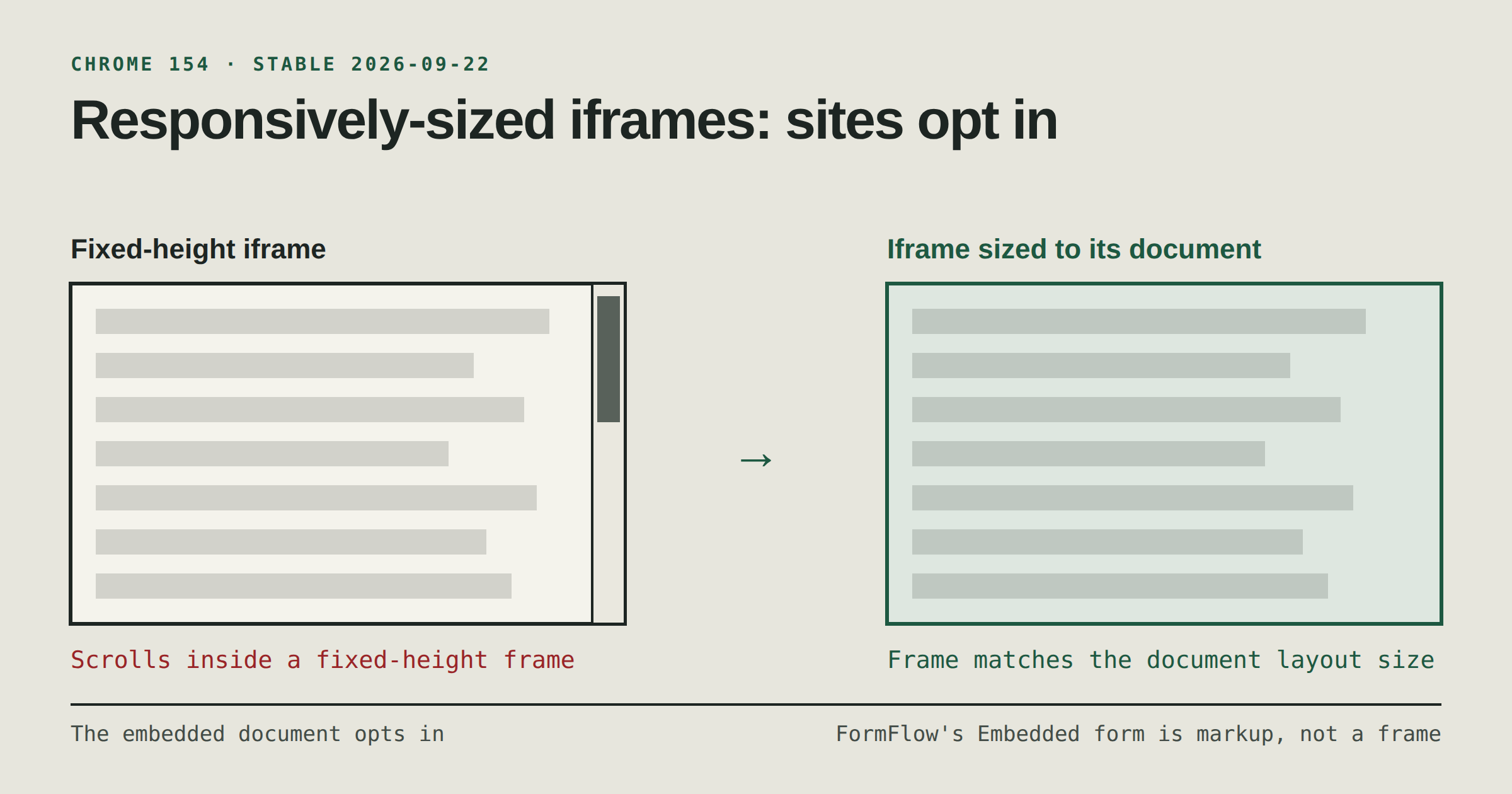
Chrome 154 is scheduled to reach Stable on 22 September 2026. Among its headline features, the Chrome 154 release notes list a "Responsively-sized iframe", which they describe as letting "sites opt into responsive sizing for iframes". If you embed a FormFlow Form on your site, the natural question is whether this changes anything for you. Short answer from the code: no, because the Embedded form is not in an iframe.
What the release notes say
The entry says the feature "sizes the iframe element in the parent document to the embedded document's layout overflow sizing", and names the goal as "avoiding scrolling in the child document". In plain terms: a page that holds another document in a frame can have the frame match the height that document needs, instead of fixing a height and leaving a scrollbar inside the frame.
The notes are brief. They do not say which attribute or header a site uses to opt in, and this post will not guess one. They point to a tracking bug, a ChromeStatus entry and the responsive iframes section of the css-sizing-4 specification; read those before you change a page. They also say nothing about other browsers.
Is a FormFlow Embedded form an iframe?
No. An Embedded form is a customer's own page carrying the generated component: markup rendered from the Form's schema, placed directly in the page, and posting to the Form from the customer's site. We checked the code for this post. Neither the component generator nor the embed runtime in resources/js/embed/runtime.js creates an iframe. The runtime looks for the form elements on your page that carry the component's data attributes and works on them in place, adding behaviour such as step navigation and error messages to the form that is already there.
That settles the Chrome 154 question. The new feature is about sizing a frame to the document inside it. An Embedded form has no frame, so there is nothing for the feature to size. The form takes the height its own markup needs, like any other block in your page, and the page's own layout decides how much room it gets.
If you put a form in an iframe yourself
Some sites wrap a form from another service in a frame, and a frame that scrolls inside a page is a familiar annoyance for a form: the visitor scrolls the page, then scrolls the frame, then loses the submit button. If that is your setup, the Chrome 154 feature may be relevant to you, but whether it helps depends on details the release notes do not spell out. Test it in Chrome 154 Stable, and check support in the browsers your visitors use before you depend on it.
If you would rather not manage a frame at all, you can place the generated component in your page as markup instead. Embed a Form on your own website with the generated component walks through it.
What to do
Read the Chrome 154 release notes entry and the specification section it references before changing any frame.
If a frame is part of your form's setup, try the opt-in in Chrome 154 Stable and compare it with your current fixed height.
If your form is placed as markup, as the generated component is, you have nothing to change for this feature.
Browser features change often, so re-checking your form after a major Chrome release is cheap insurance, whichever way you embed it.