
Choose how choice questions look and give your Form an accent colour
Pick an Appearance for a checkbox, radio, multiselect, scale or rating question, and one Accent for the whole Form. Only how a question is drawn changes: answers arrive exactly as before.
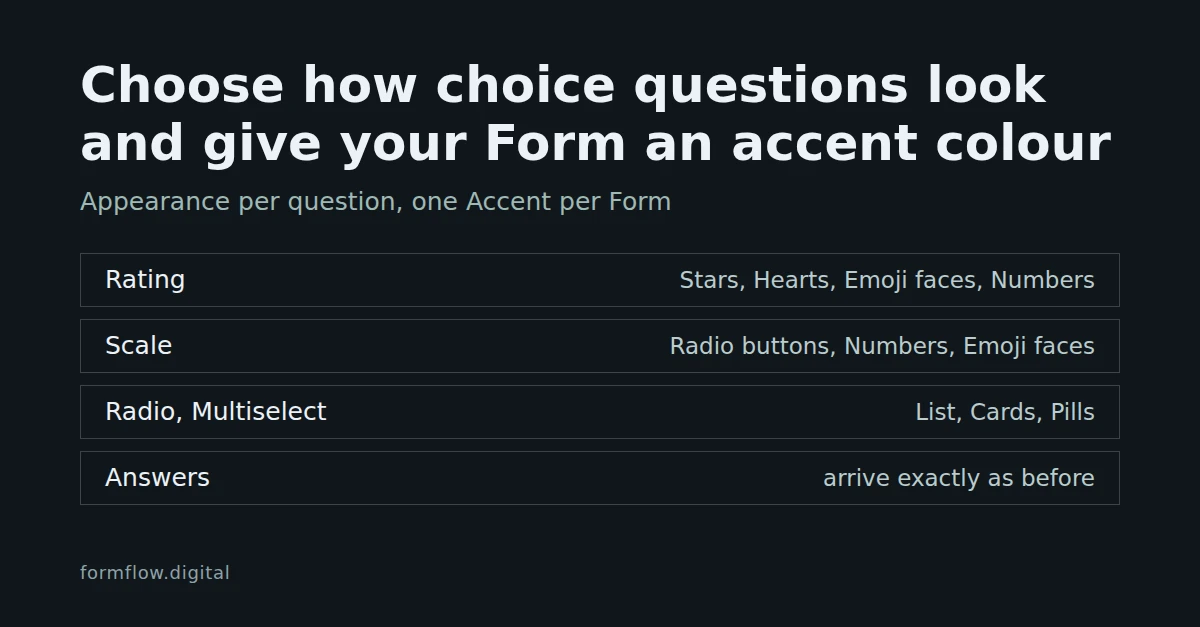
A choice question can be drawn in more than one way. A rating can show stars, hearts, emoji faces or number buttons; a radio question can show a plain list, cards or pills; a checkbox can be a toggle switch. FormFlow calls the choice an Appearance, and a separate setting, the Accent, colours the chosen state. Both arrived in Release v1.56.0. Both change how a question is drawn and nothing about what a Submitter sends.
Which looks each question type offers
The looks are a closed list per question type. The first look in each row is the default, the one a question wears until you choose another.
Question type | Looks, default first |
|---|---|
Checkbox | Checkbox, Toggle switch |
Radio | List, Cards, Pills |
Multiselect | List, Cards, Pills |
Scale | Radio buttons, Numbers, Emoji faces |
Rating | Stars, Hearts, Emoji faces, Numbers |
Every other question type has no Appearance control. On a scale, Numbers draws connected number buttons; on a rating, it draws number buttons. The Changelog calls Cards and Pills button cards and pill chips.
Choose a look
Open the Form and go to its Fields tab.
Open the question. Under How it is asked, the Appearance select lists the looks for that question's type.
Choose a look. The preview beside the field list redraws as you change it.
Save the Form.
Choosing the first look in the list is the same as choosing none: FormFlow stores nothing for it. A Form that existed before v1.56.0 keeps its current look until you change a question. Changing a question's type clears its look, because the old look may not exist for the new type.
Emoji faces need exactly five points
Emoji faces are a fixed row of five faces, from unhappy to happy, so they fit only a scale or a rating whose range is exactly five points. Two things follow. If you move the range off five (Starts at and Ends at on a scale, Stars on a rating) after choosing Emoji faces, the editor replaces them with the question's default look. If you choose Emoji faces while the range is not five, the save is refused with "Emoji faces need a range of exactly 5 points, not 4.", where 4 stands for the range you have.
What does not change
A look is drawn over the same native radio button or checkbox rather than replacing it. What a Submitter posts, how it is judged and how it is read back are the same whichever look you pick, so a Submission, an export and a Strict mode check do not know which look was used.
Give the Form an accent colour
Above the preview, beside Hosted page style, the Accent select offers eight named colours: Indigo, Teal, Emerald, Amber, Rose, Violet, Slate and Crimson. Leave it empty and the Style draws its own colour; the placeholder reads "The Style’s own colour". The helper text says what it colours: the chosen state of toggles, ratings, scales, cards and pills, and the Send button. Like the looks, the preview repaints as soon as you choose.
An Accent is a name, never a colour value: there is no box for a hex code. Each Style defines its own shade of every name. The light Styles use darker shades that stay readable against white text, and the dark Style uses lighter tints, and a test measures contrast for every Style under every name. There is one Accent per Form, not one per question.
The Accent applies to the Hosted page and to the code from Get code. With the Bootstrap Style it is scoped to the form by an ff-accent class, so your page's other Bootstrap components keep their own colours. The Style you pick when copying code is separate from Hosted page style, so choose the one you mean in each place.
Limits to know about
Presentation only. Neither a look nor an Accent changes a question's type, whether it is required, or its options.
Only the looks in the table. You cannot add a custom look or give one question its own colour.
Components you pasted earlier carry the CSS they were copied with. After changing a look or an Accent, copy the component again from Get code.
An Accent replaces the colour a Style uses for the chosen state and the Send button. Fonts, spacing and the Style's other colours still come from the Style.
What this does not decide
It does not decide which question type you need. A rating collects a number from a range and a radio collects one of your options; a look only changes how either is drawn. For where the copied component goes, see Embed a Form on your own website with the generated component.